Are They Actually Different on the Inside?
We recently did a slightly silly—but surprisingly instructive—repair of a broken AmazonBasics microSD adapter.
In the comments, a few people quite reasonably pointed out that adapters like these are “built to a price” and probably not the highest quality. And that got me wondering:
Are cheap microSD adapters actually worse… or are they basically the same as branded ones inside?
So in this post (and the accompanying video), we crack open a cheap AmazonBasics adapter and compare it directly to a branded SanDisk adapter. NOTE - we’re not doing any speed or throughput comparisons. We’re jusy looking at the mechanical construction and contact design.
The Two Contenders
- AmazonBasics microSD → SD adapter
- SanDisk Ultra microSD → SD adapter
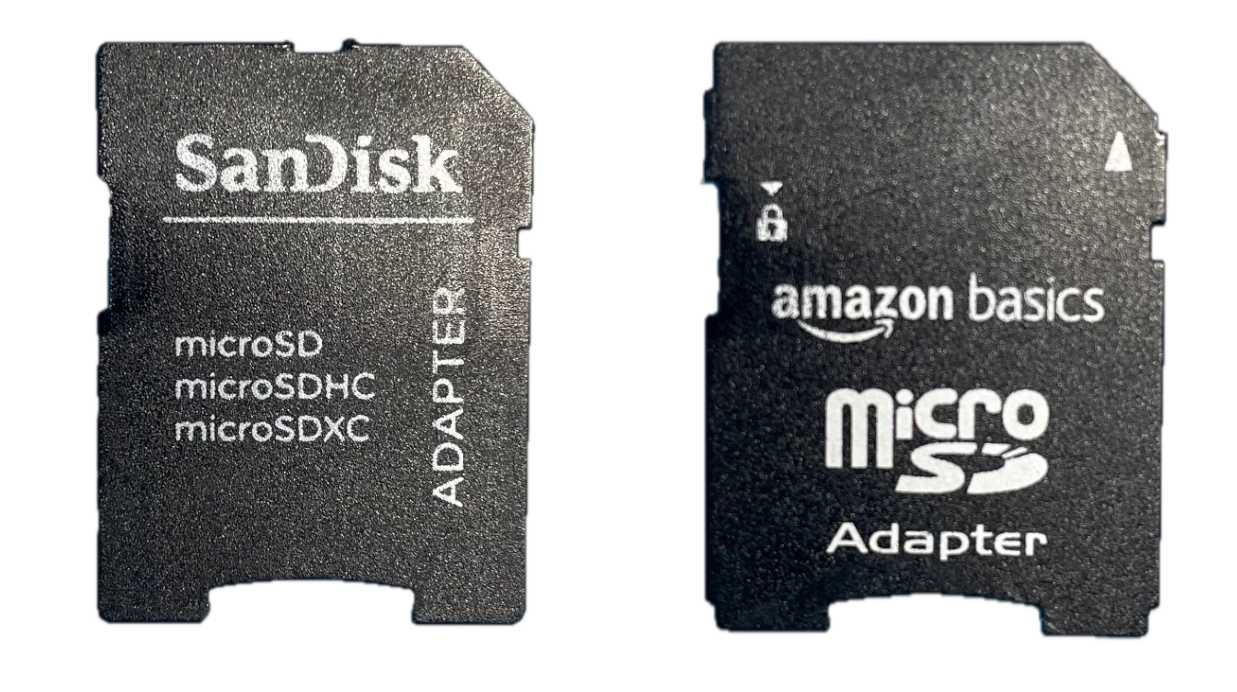
- Both do exactly the same job.
- Both are widely used.
- Both look almost identical from the outside.
But internally? Surprisingly different.
Internal Construction Overview
The AmazonBasics adapter was already open from the previous repair video, so we’ll use that as our baseline.
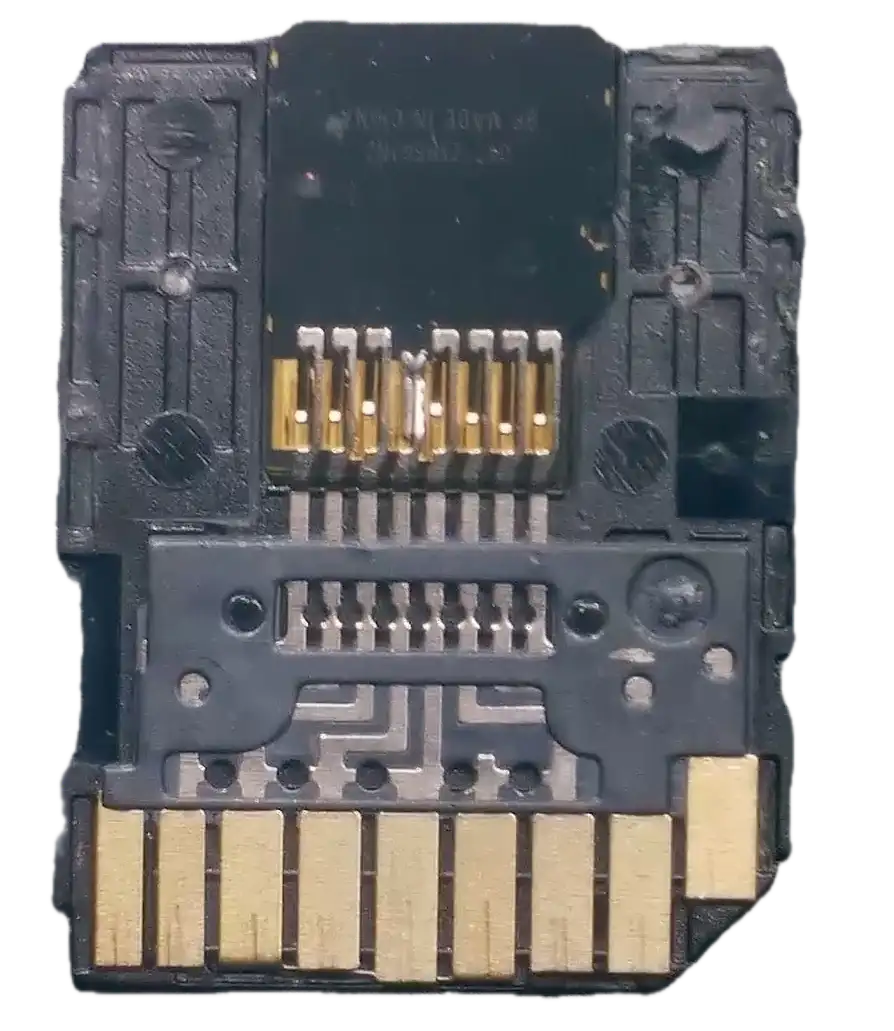
The part we’re most interested in is the spring contacts - that’s the part that failed in the previous repair video.
Now let’s crack open the SanDisk.
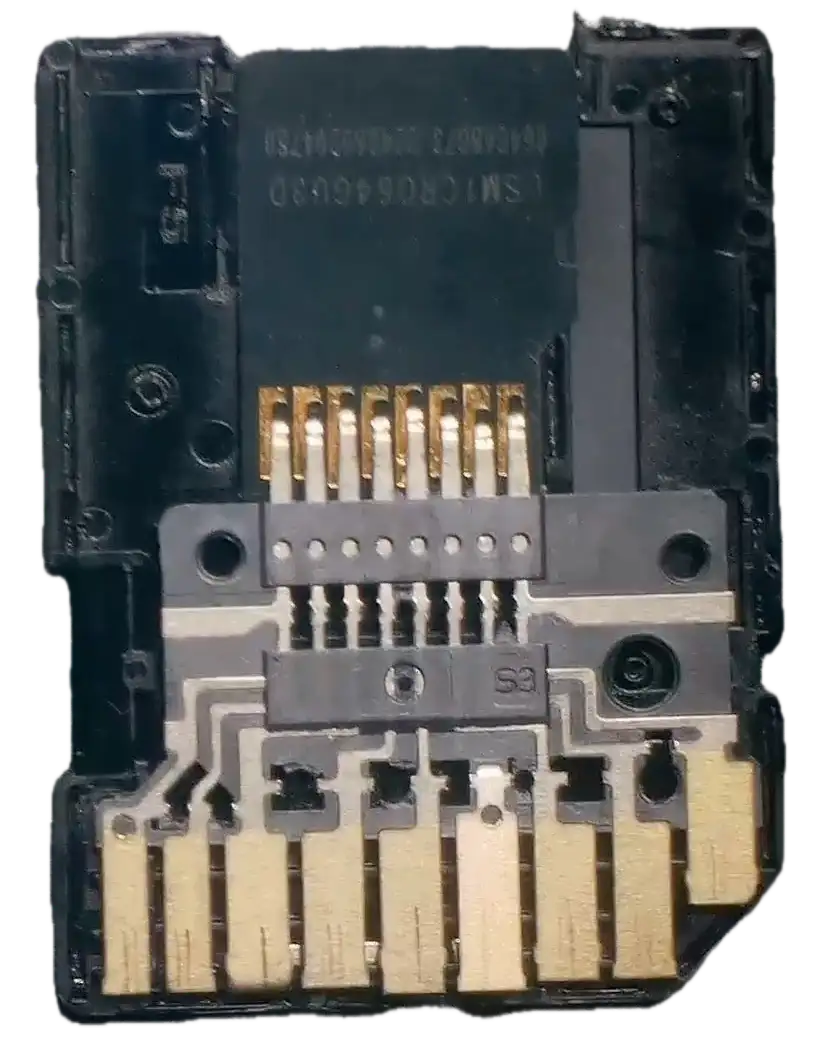
How do the contacts work in the two adaptors
This is where things get interesting.
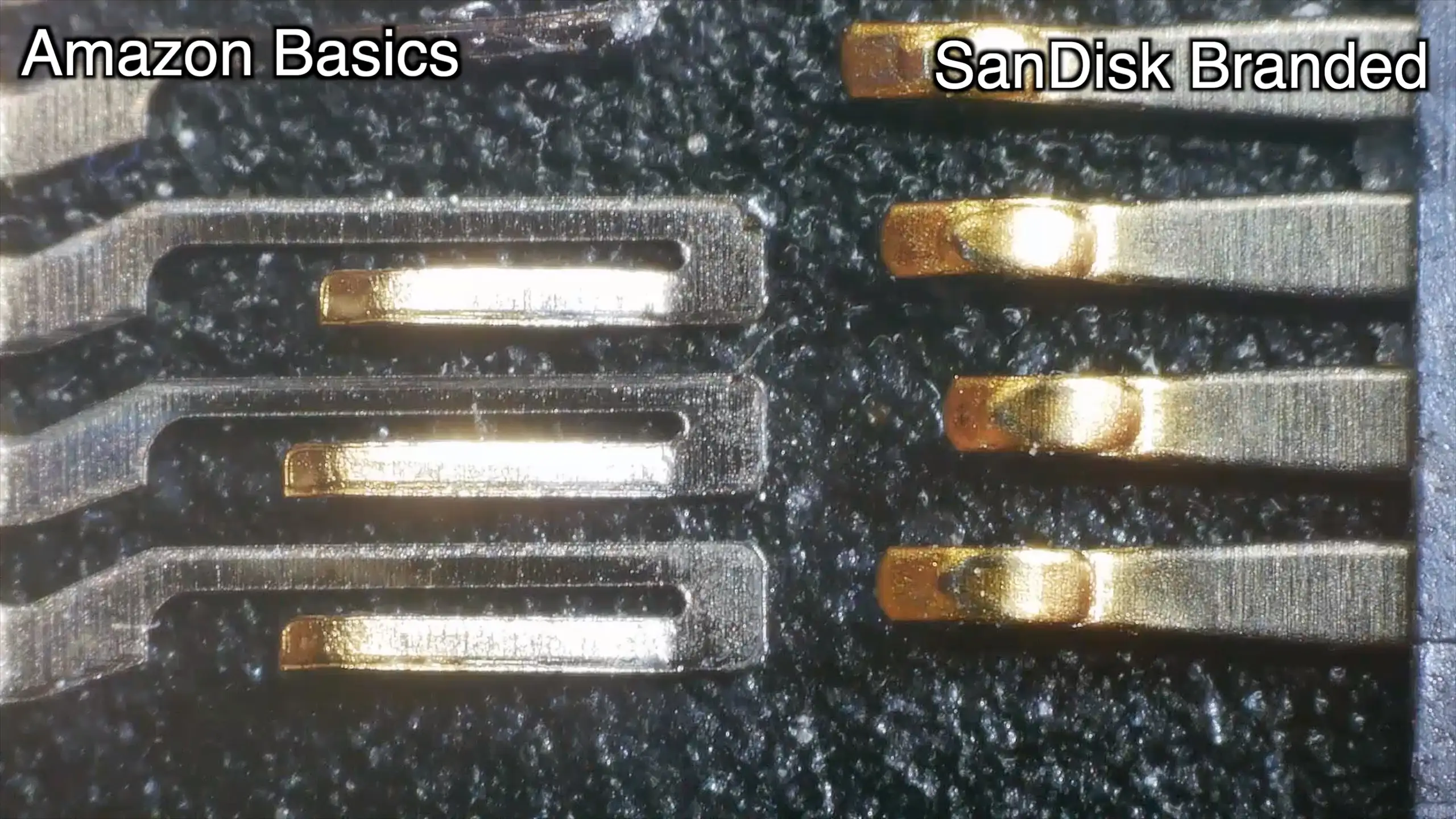
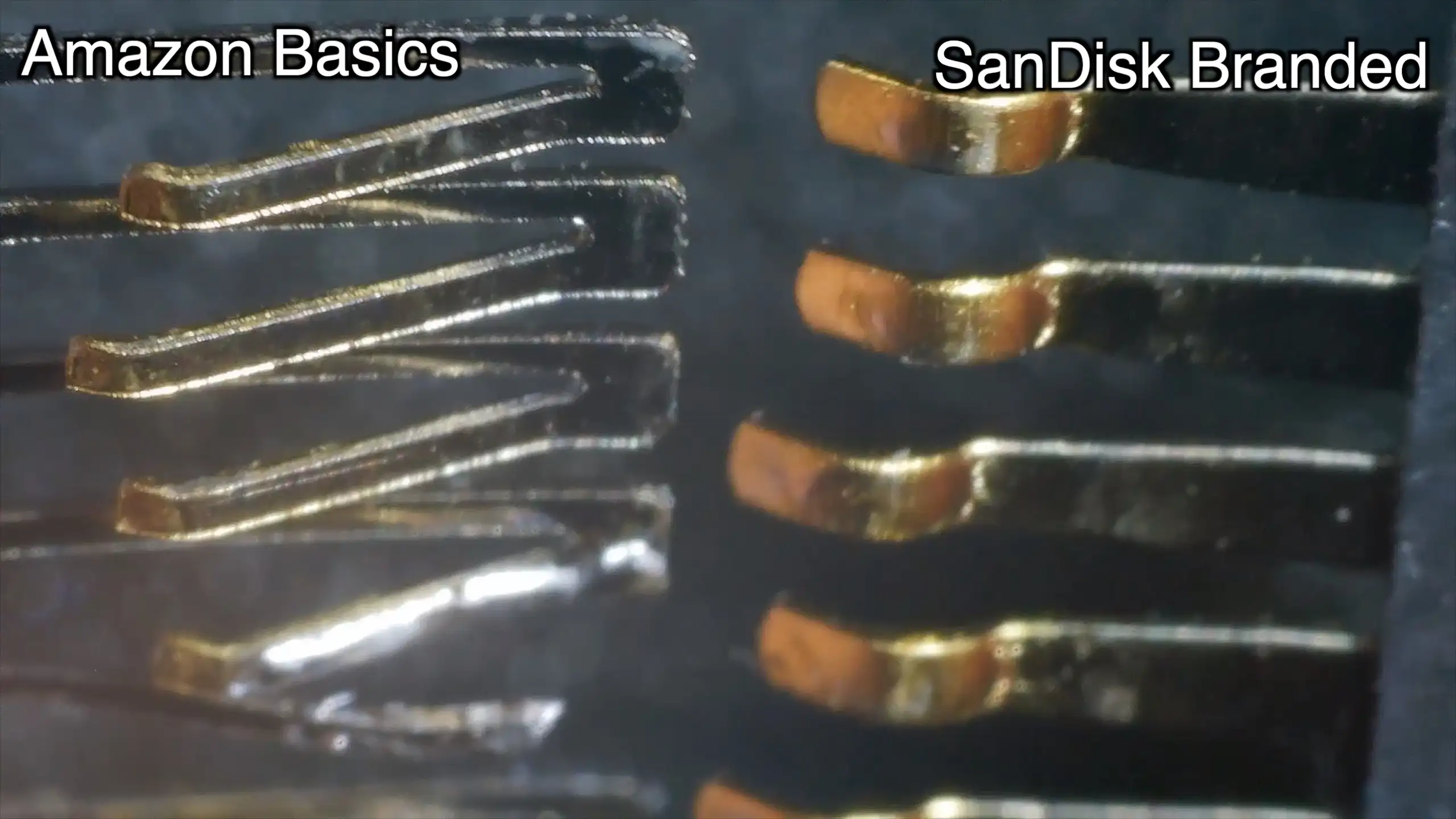
On the left we have the AmazonBasics metal fingers and on the right we have the SanDisc contacts.
You can also see the failure point and solder from my bodge/fix. To me, the AmazonBasic contacts look likely to fatigue and fail if they are repeatedly stressed.
The SanDisk contacts look to be more solid and less prone to failure.
Gold Plating (Or Not?)
I think (though it is hard to tell under the lighting) that the SanDisk contacts appear to have more gold plating than the AmazonBasics ones - I’m not even sure the AmazonBasic contacts have any gold plating.
Having said that - I don’t want to leap to any judgement here:
- It’s difficult to be certain without destructive testing
- Reflections and microscope lighting can be misleading
- Any plating present on either is likely very thin
Still, visually, the SanDisk contacts look a little more premium.
So… Which Is “Better”?
That’s the tricky bit.
- Electrically, both do the job.
- Mechanically, they’re very different.
If you:
- Insert a card once and leave it there → both are probably fine
- Constantly swap cards → the SanDisk design might hold up better long-term
The AmazonBasics adapter clearly works — until repeated flexing eventually takes its toll.
My Take
Personally, I slightly prefer the SanDisk design.
It just looks and feels more mechanically robust.
Video Walkthrough
If you’d like to see the teardown, comparisons, and microscope footage in real time, the full video is embedded below.